
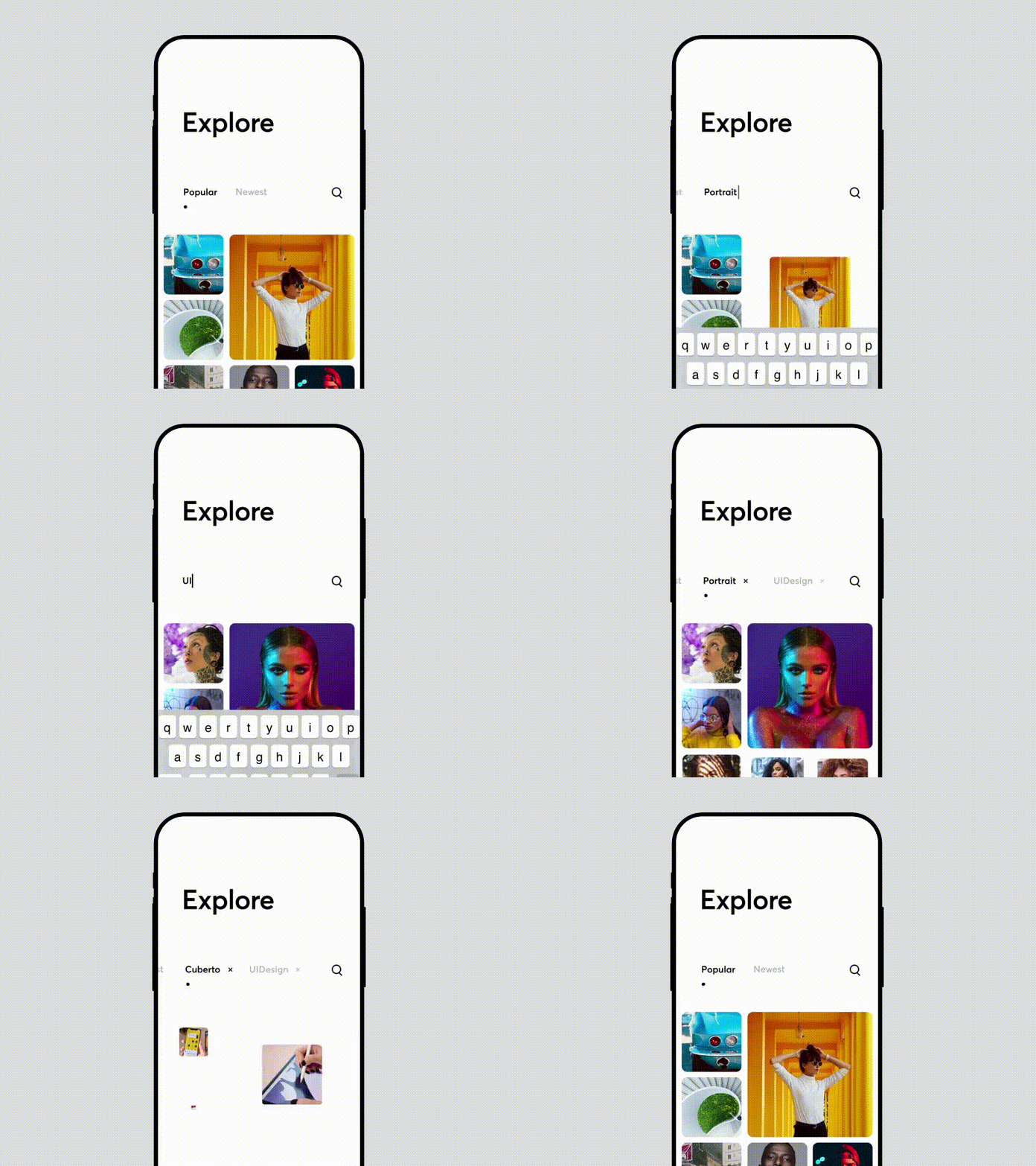
Yet another built-in animated search view for Android. Every search is kept as a tab, so users can run several searches and switch between them.
All design credits goes to Cuberto And inspired from this design
dependencyResolutionManagement {
    repositories {
        ...
        maven { url 'https://jitpack.io' }
    }
}

dependencies {
    implementation 'com.github.iammert:MultiSearchView:1.0.0'
}
MultiSearchView requires minSdk 21.
<com.iammert.library.ui.multisearchviewlib.MultiSearchView
    android:id="@+id/multiSearchView"
    android:layout_width="match_parent"
    android:layout_height="wrap_content" />
Give the view an id, so the searches are kept across configuration changes.
All listener methods have empty default implementations, override the ones you need:
multiSearchView.setSearchViewListener(object : MultiSearchView.MultiSearchViewListener {
    override fun onTextChanged(index: Int, s: CharSequence) {
    }

    override fun onSearchComplete(index: Int, s: CharSequence) {
    }

    override fun onSearchItemRemoved(index: Int) {
    }

    override fun onItemSelected(index: Int, s: CharSequence) {
    }

    override fun onSearchModeChanged(inSearchMode: Boolean) {
    }
})
The listener receives String snapshots of the queries, so they can be stored safely.
multiSearchView.search()             // start a new search, like tapping the icon
multiSearchView.completeSearch()     // complete the search that is being typed
multiSearchView.isInSearchMode       // true while a query is being typed

multiSearchView.addSearch("Istanbul") // add a completed search without callbacks
multiSearchView.selectSearch(0)
multiSearchView.removeSearch(0)
multiSearchView.clearSearches()

multiSearchView.queries              // text of every tab
multiSearchView.selectedIndex        // -1 when there are no tabs
To complete the search on back press:
val completeSearchOnBack = onBackPressedDispatcher.addCallback(this, enabled = false) {
    multiSearchView.completeSearch()
}

multiSearchView.setSearchViewListener(object : MultiSearchView.MultiSearchViewListener {
    override fun onSearchModeChanged(inSearchMode: Boolean) {
        completeSearchOnBack.isEnabled = inSearchMode
    }
})| Attribute | Description | Default |
|---|---|---|
app:searchTextStyle |
Style applied to the search fields | |
app:minSearchLength |
Shorter queries are discarded when the search completes | 3 |
app:animationDuration |
Duration of the animations in milliseconds | 500 |
app:searchIcon |
Icon that starts and completes a search | search icon |
app:removeIcon |
Icon that removes the selected tab | clear icon |
app:iconTint |
Tint of both icons | ?attr/colorControlNormal |
app:indicatorColor |
Color of the line under the selected tab | ?attr/colorControlNormal |
Every attribute has a matching property or setter.
Add a style to styles.xml. Only the attributes you define are applied, the rest keep their defaults.
<style name="SearchTextStyle">
    <item name="android:hint">@string/search_hint</item>
    <item name="android:imeOptions">actionSearch</item>
    <item name="android:textSize">18sp</item>
    <item name="android:maxLength">15</item>
    <item name="android:inputType">textCapSentences</item>
    <item name="android:textColorHint">?android:attr/textColorHint</item>
    <item name="android:textColor">?android:attr/textColorPrimary</item>
</style>
Supported attributes: layout_width, layout_height, focusable, focusableInTouchMode, enabled, hint, imeOptions, maxLength, textSize, inputType, textColorHint, textColor, textColorLink, textColorHighlight, textAllCaps, padding, paddingTop, paddingBottom, paddingLeft, paddingRight, textStyle and fontFamily.
Then pass it to the view:
<com.iammert.library.ui.multisearchviewlib.MultiSearchView
    android:id="@+id/multiSearchView"
    android:layout_width="match_parent"
    android:layout_height="wrap_content"
app:searchTextStyle="@style/SearchTextStyle" />Copyright 2019 Mert Şimşek
Licensed under the Apache License, Version 2.0 (the "License");
you may not use this file except in compliance with the License.
You may obtain a copy of the License at
http://www.apache.org/licenses/LICENSE-2.0
Unless required by applicable law or agreed to in writing, software
distributed under the License is distributed on an "AS IS" BASIS,
WITHOUT WARRANTIES OR CONDITIONS OF ANY KIND, either express or implied.
See the License for the specific language governing permissions and
limitations under the License.