



MicaSetup is a universal advanced installation package generation tool project that supports various features and allows customization of the full entire installation process.
| Toolkits | Description | GUI | CLI |
|---|---|---|---|
| CheckVer | Print dependency DLL versions, including Costura embeds. | / | Ready |
| MakeIcon | Create setup and uninst icon, both *.png and *.ico. | Ready | Ready |
| MakeMica | Build a package installer using configuration JSON file. | Under development | Under development |
| MakeMui | A GUI for editing the multi-language XAML resource files. | Under development | / |
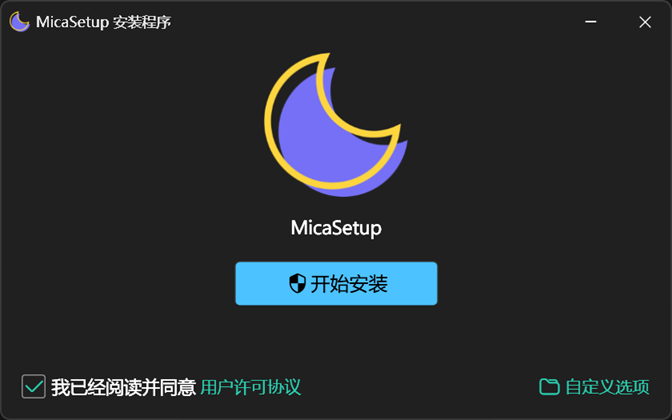
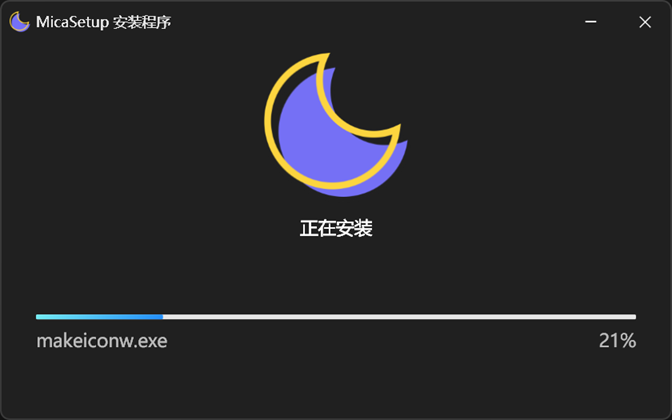
| Features | Completion | Addition |
|---|---|---|
| Mica Backdrop | ☑ | Support Windows11 Mica Backdrop. |
| Theme | ☑ | Support Dark and Light theme. |
| Archive File | ☑ | Pack your app with 7z.exe, so it's easy to customize your archive file or not. |
| Animations | ☑ | Support a lot of advanced animations. Such as Indeterminate ProgressBar, supported when your installation is no progress hint. |
| HiDPI | ☑ | Support to process DPI awareness. |
| Firewall | ☑ | Support allows your app to access the Network through Windows Firewall Policy. |
| Anti Unpacking | ☑ | Support encryption type archive file package. Needs create your app archive file with password firstly. Also can sign your setup program by .snk. |
| .NET SDKs Installer | 🔲 | Auto detect and install the .NET/.NET Core/.NET Framework Runtime. Download .NET SDKs for Visual Studio |
| MSIX Installer | 🔲 | Using MSIX package instead of archive file. Provide the function the same as following command. certmgr.exe -add app.cer -s -r localMachine AuthRoot. |
| Online Installer | 🔲 | Using Network instead of archive file. |
| Features | Completion | Addition |
|---|---|---|
| Host Builder | ☑ | Support a simple HostBuilder for handling setup configs. |
| Debugger | ☑ | Unlike other installation architectures, too difficult to debug. Support using VS2022 (or higher) to debug codes. |
| WindowChrome | ☑ | Support WindowChrome to keep native window style instead of borderless style. |
| Shortcut | ☑ | Support to create your app shortcut (.lnk). |
| Fork Process | ☑ | Support setup process forked itself to avoid the file lock. |
| Folder Picker | ☑ | Support advanced Folder Picker by WindowsAPICodePack-Shell. |
| Globalization | ☑ | Default UI languages: en, zh-Hans, zh-Hant, ja via Option.SupportLanguages. Set MSBuild SupportedLanguages the same way to keep the exe small. |
| Registry | ☑ | Support x86/x64 registry. |
| Create StartMenu | ☑ | Support to create Start Menu in system folder. |
| Create QuickLaunch | ☑ | Support to create Quick Launch shortcut (.lnk).Quick Launch has been obsoleted since Windows 10. |
| Create Uninst | ☑ | Support to create Uninst.exe for system uninstallation. |
| Delay Uninst | ☑ | Support to delete file delay until reboot. Useful for handling when uninst files fails. |
| Auto Run | ☑ | Support to make your installed app auto run. |
| Security Control | ☑ | Support to make your installed path Allow Full File Security. |
| Install Font | 🔲 | Support to install your fonts into system. |
| Install Silent | ☑ | Support silent installation using CLI /q or /s.Useful for auto updating in the background. |
| Install Passive | ☑ | Support progress-only installation using CLI /p.Useful for auto updating in the foreground. |
| Controls | Completion | Addition |
|---|---|---|
| WindowX | ☑ | Support Mica Backdrop. Support WindowChrome. |
| SetupProgressBar | ☑ | Support Indeterminate Animation. |
| MessageBoxX | ☑ | Simple MessageBox instead of Classics. |
| SmoothScrollViewer | ☑ | Support smoothly scrolling. |
The programs using MicaSetup.
QL-Win/QuickLook (Recommended)
GenshinMatrix/Fischless.Relauncher
<ItemGroup>
    <PackageReference Include="MicaSetup.Tools" Version="2.5.0" />
</ItemGroup>
and then you can use makemica.exe and 7z.exe from NuGet cache directory in your PowerShell script.
Write-Host "Get NuGet global package cache directory"
$globalPackages = (dotnet nuget locals global-packages --list) -split ":\s*", 2 | Select-Object -Last 1
$sevenZip = Join-Path $globalPackages "micasetup.tools\2.5.0\build\bin\7z.exe"
$exePath = Join-Path $globalPackages "micasetup.tools\2.5.0\build\makemica.exe"

Write-Host "7z packing"
& $sevenZip a $package7z ".\*" -t7z -mx=5 -mf=BCJ2 -r -y

Write-Host "Installer building"
# Ensure your micasetup.json file here
& $exePathMicaSetup.exe /q /d "C:\Program Files\MicaApp" /norestart LOGGING=1
Uninst.exe /p| Options | Description |
|---|---|
/i |
Install. Only accepted by Setup and can be omitted. |
/x |
Uninstall. Only accepted by Uninst and can be omitted. |
/d=<path> or /d <path> |
Install location. KeyName is appended when the path does not end with it, same as the UI.Default is the same as the UI without changes. |
/q or /s |
Quiet mode, no UI at all. The app will not be launched after installation. |
/p |
Passive mode, only shows the progress page and closes when completed. |
/norestart |
Never restart the system. Exits with 3010 when a restart is required.Takes precedence over /forcerestart. This is also the default behavior. |
/forcerestart |
Always restart the system after a successful operation in quiet or passive mode, same as msiexec. |
NAME=value |
Public properties. Supported properties are listed below. |
| Properties | Description |
|---|---|
LOGGING=1 |
Write the log file to %USERPROFILE%\Documents\MicaSetup\yyyyMMdd.log.Accepts 1, true, yes or on. |
Options and property names are case-insensitive.
Note
Quiet and passive modes skip the wizard pages, so the license agreement is not shown and is treated as accepted, same as msiexec.
| Exit codes | Description |
|---|---|
0 |
Success. |
1 |
Failure, such as invalid arguments, insufficient free space or locked files. Use LOGGING=1 for details. |
1602 |
User cancelled the UAC prompt in quiet or passive mode, or in full UI when IsAllowElevationFallback is false. |
1618 |
Another Setup or Uninst is already running in quiet or passive mode. |
1641 |
Restart initiated by /forcerestart. |
3010 |
Restart required to complete the operation. |
@echo off
for /f "tokens=* delims=" %%i in ('fetchver.exe /v3 "fetchver.exe"') do set fetchver=%%i
@echo The result is: %fetchver%
@pause
Support options: v1, v2, v3, v4
checkver "path\to\app.exe"Prints dependency information for the given executable or DLL:
- Managed assembly references and their versions. When the DLL is next to the file, its file version is included.
- Native import libraries.
- Assemblies embedded by Costura.Fody (
costura.*.dll/costura.*.dll.compressed, includingcostura_win_x86/costura_win_x64/costura_win_arm64), with the assembly version and file version read from the embedded payload.
Run the setup_dummy.cmd for creating some dummy things used in project.
Such as publish.7z as your app published package and full size font used in Setup programs.
And then Run VS2026 (or higher) as Admin to open the .slnx.
Run the setup_build.cmd for building the full Setup programs.
Command Flow:
- Build my app, named
MicaAppusingdotnet publish. - Pack my app using
7z.exe. - Build Uninst, named
Uninst.exeusingmsbuild. - Build Setup, named
MicaSetup.exeusingmsbuild.
🈺Welcome PRs, issues, wikis, demos.
Including follow components.
This software codes are licensed under the MIT License.